SOC 2 is an independent audit, defined by the AICPA, that checks how a service company protects customer data. The HOPLONai SOC 2 Toolkit turns the 38 SOC 2 criteria for Security, Availability and Confidentiality into a checklist, so you can collect evidence and close gaps before your auditor starts.
SOC 2 compliance is often the first thing a larger customer asks about, especially in the US. This guide explains what SOC 2 is, who needs it, how it compares with ISO 27001, and how to use the toolkit step by step.
Important: HOPLONai helps you prepare. It does not issue SOC 2 reports. Only an independent auditor (a licensed CPA firm) can do your SOC 2 audit and write your report.
SOC 2 is a security audit framework from the AICPA (the American Institute of Certified Public Accountants). An auditor checks how you protect customer data. You get a SOC 2 report to share with customers.
A control is a rule or habit that lowers a risk. For example: "Every staff account uses multi-factor authentication (MFA)". MFA means a second check, like a code on your phone, on top of a password.
SOC 2 is built on the AICPA's Trust Services Criteria. There are five. Security is always required, and the other four are optional:
Security: always required. Also called the Common Criteria (CC).
Availability: your service stays up and recovers from problems.
Confidentiality: you protect confidential information.
Processing Integrity: your system processes data completely and correctly.
Privacy: you collect, use and delete personal information properly.
Type 1 | Type 2 | |
|---|---|---|
What it checks | Are the right controls designed and in place today? | Did the controls actually work, every time, across a period? |
Time covered | A single point in time | A period of months (the "observation window"), often 3 to 12 months |
Evidence you need | Proof that each control exists | Proof that each control ran throughout the window |
Good fit for | Your first report, or when a customer needs proof sooner | Most larger customers, who usually ask for Type 2 |
Ask your customer and your auditor which type you need. Your auditor also agrees the length of your observation window.
You probably need SOC 2 if:
You sell software or IT services to other businesses.
A customer's security questionnaire asks for a SOC 2 report.
You want to sell to US companies, where SOC 2 is the most common security report.
SOC 2 is not a law. Customers ask for it as independent proof of your security.
Both show customers that you protect their data, and many of the controls overlap. The main differences:
SOC 2 | ISO 27001 | |
|---|---|---|
Set by | AICPA (US) | ISO and IEC (international) |
What you get | An audit report you share with customers | A certificate |
Who audits you | A licensed CPA firm | An accredited certification body |
How long it lasts | Customers usually expect a new report every year | 3 years, with a surveillance audit every year |
Most often asked for by | US customers | UK, EU and international customers |
If you sell in both markets, start with the one your biggest customers ask for. Work done for one gives you a head start on the other. To prepare for ISO 27001, see How to get ISO 27001:2022 certification: a 12-step guide.
The SOC 2 Toolkit turns SOC 2 into a clear checklist inside the platform. It covers the 38 criteria for three Trust Services Criteria:
Category | What's included |
|---|---|
Security | 33 Common Criteria (CC1.1 to CC9.2) |
Availability | 3 criteria (A1.1 to A1.3) |
Confidentiality | 2 criteria (C1.1 and C1.2) |
Processing Integrity and Privacy are not in the toolkit today.
For each criterion you get plain questions, Advisor Notes, and a checklist of evidence to collect. Evidence means records that prove a control works, such as a signed policy or a log export. A HOPLONai Mapping list shows which HOPLONai modules help, such as Security Policies, Endpoint Security, MDM or Cloud DLP. A live Total Readiness score and a list of gaps show what is left to do.
This table shows the same list you see in the HOPLONai Mapping panel of each criterion. Use it to see which criteria your HOPLONai modules already help with.
Criterion | What it covers | HOPLONai modules that help |
|---|---|---|
CC1.1 | Commitment to integrity and ethical values | Security Policies |
CC1.2 | Board independence and oversight | SOC 2 Toolkit |
CC1.3 | Structures, reporting lines, authorities and responsibilities | Security Policies |
CC1.4 | Commitment to competence | Human Risk Protection |
CC2.1 | Relevant, quality information | SOC 2 Toolkit |
CC2.2 | Internal communication of objectives and responsibilities | Security Policies |
CC3.1 | Objectives specified with sufficient clarity | SOC 2 Toolkit |
CC3.2 | Risk identification and analysis | SOC 2 Toolkit |
CC3.4 | Assessment of significant change | SOC 2 Toolkit |
CC4.1 | Ongoing and separate evaluations | External Exposure Monitor, SOC 2 Toolkit |
CC4.2 | Evaluation and communication of deficiencies | SOC 2 Toolkit |
CC5.1 | Selection and development of control activities | SOC 2 Toolkit |
CC5.2 | General control activities over technology | Endpoint Security, MDM |
CC5.3 | Deployment through policies and procedures | Security Policies |
CC6.1 | Logical access security architecture | Cloud DLP |
CC6.2 | User registration and deregistration | Cloud DLP |
CC6.3 | Access authorisation, modification and removal | Security Policies |
CC6.6 | Protection against external threats | External Exposure Monitor |
CC6.7 | Transmission, movement and removal of information | Email Security, Cloud DLP |
CC6.8 | Prevention and detection of unauthorised software | Endpoint Security, MDM |
CC7.1 | Detection of configuration changes and new vulnerabilities | Endpoint Security, External Exposure Monitor, MDM |
CC7.3 | Evaluation of security events | Human Risk Protection |
CC7.4 | Incident response execution | Security Policies |
CC7.5 | Recovery from security incidents | Security Policies |
CC9.1 | Mitigation of business disruption risk | Security Policies |
CC9.2 | Vendor and business partner risk management | Security Policies |
A1.2 | Environmental protections, backup and recovery infrastructure | Security Policies |
A1.3 | Recovery testing | Security Policies |
C1.1 | Identification and maintenance of confidential information | Cloud DLP |
The other 9 criteria (CC1.5, CC2.3, CC3.3, CC6.4, CC6.5, CC7.2, CC8.1, A1.1, C1.2) have no linked module. These criteria are met with your own policies and evidence, which you upload in the SOC 2 Toolkit.
You can get SOC 2 readiness as part of the Premium package, or on its own. With Premium, your SOC 2 evidence stays in one place with the rest of your HOPLONai modules, so your team has less to collect by hand.
Pricing: SOC 2 readiness starts from $3,000. The final price depends on the size and complexity of your company. The auditor's fee is not included. We coordinate with the auditor for you.
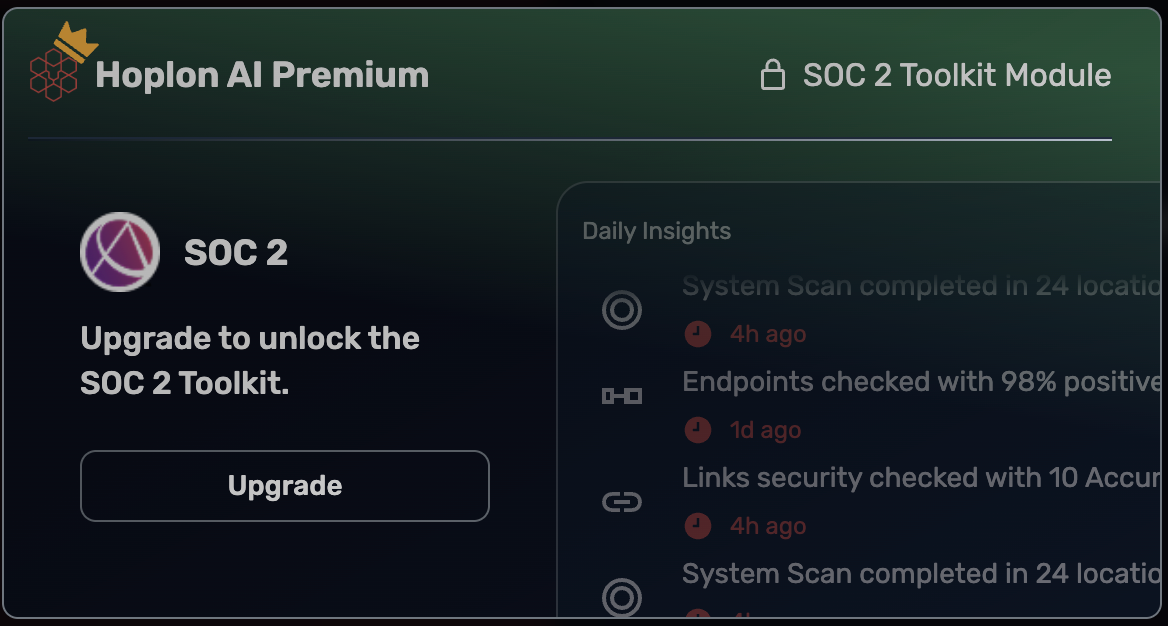
The SOC 2 Toolkit is switched on for your company by the HOPLONai team. If you see a lock on SOC 2 Toolkit in the sidebar:
Click SOC 2 Toolkit.
Click Upgrade.
Fill in the short Compliance support form. Tell us which SOC 2 report you need (Type 1 or Type 2) and who is asking for it.
Our team will contact you with a quote.
In the left sidebar, go to Compliance > SOC 2 Toolkit.
At the top of the page you see two cards:
Total Readiness: the percentage of criteria marked Audit Ready. Criteria marked Not Applicable (N/A) are left out of the score.
Total Gaps: how many criteria still need work. Click View All Detected Gaps to jump to the list below, filtered to gaps only.
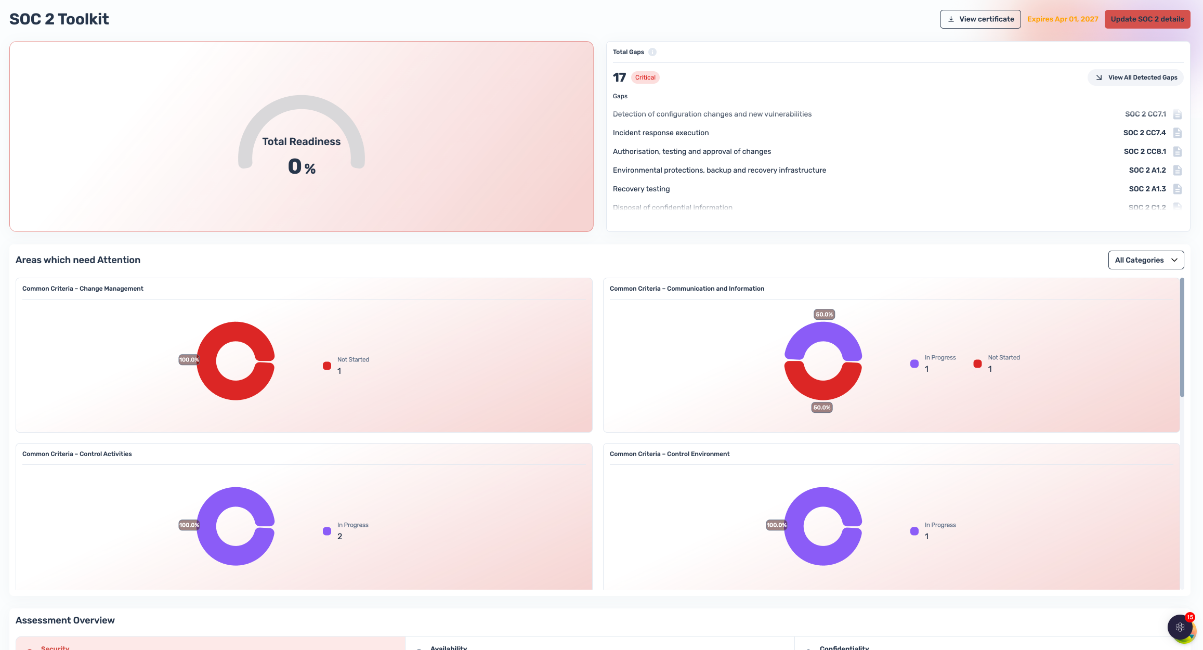
Areas which need Attention shows charts of open items by status. Use the dropdown to pick All Categories or one category.
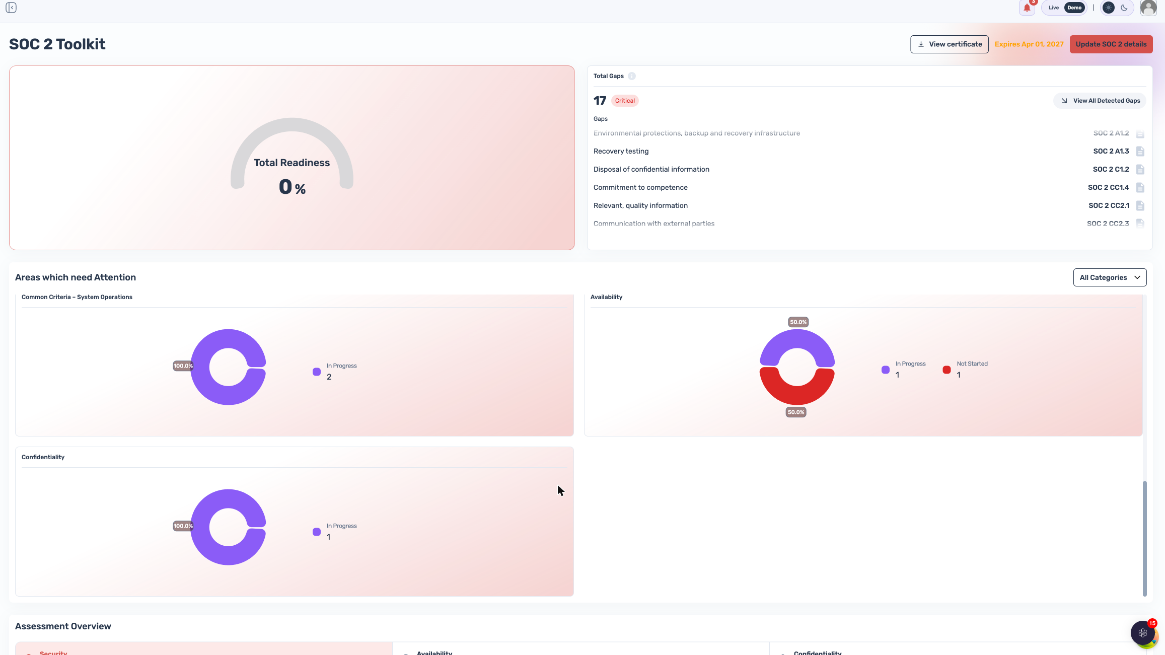
In Assessment Overview, pick a tab: Security, Availability or Confidentiality. Use Search... to find a criterion.
Click a criterion (for example CC6.1) to open it. You will see four panels:
Description: the questions and the Advisor Notes.
Required Policies / Controls / Evidences: the evidence checklist.
HOPLONai Mapping: the HOPLONai modules that help with this criterion.
Control Status: the status and your notes.
In panel 2, click Add Evidence next to an item, or click Add Evidence / Document.
If asked, choose what the evidence Applies to. Pick Other to describe something not on the list.
Choose Upload file (PDF, DOCX, XLSX, PNG or JPG, up to 50 MB) or Add link (for example, a link to a wiki page or shared drive).
Click Upload or Add link.
The item gets a green tick. Click View Evidence to see or remove it. Adding the first evidence moves a Not Started criterion to In Progress by itself.
In panel 4, choose a Status:
Not Started: nothing done yet.
In Progress: work has started.
Under Review: ready for someone to check.
Audit Ready: the control is in place and the evidence is collected.
Not Applicable (N/A): this criterion does not apply to you. Write the reason in Notes.
Use Notes (up to 1,000 characters) to record the owner, review dates and any open issues. Click Save.
Click Export Report to download an Excel file of all 38 criteria, with status, evidence checklist, HOPLONai Mapping and notes. Share it with your team or auditor.
After your audit, your auditor gives you your SOC 2 report, which is your certificate. Your company admin can click Add SOC 2 details at the top right, add the Expiry date and upload the certificate. The page then shows View certificate and the expiry date.
No. Only an independent auditor (a licensed CPA firm) can audit you and issue a SOC 2 report. HOPLONai helps you get your controls and evidence ready first.
SOC 2 readiness with HOPLONai starts from $3,000. The final price depends on the size and complexity of your company, such as how many people, devices and systems are in scope. The auditor's fee is not included. We coordinate with the auditor for you.
No. You can get SOC 2 readiness on its own. Premium is the best fit if you want all your audit evidence and security modules in one place.
The same 38 criteria apply to both. For Type 2, keep adding evidence for every review or check across the observation window, not just once.
The toolkit covers Security, Availability and Confidentiality today. Only Security is required for every SOC 2 report.
It is the share of criteria marked Audit Ready, out of all criteria not marked N/A. 100% means your team believes every criterion is ready. Your auditor still makes the final decision.
No. HOPLONai Mapping shows which modules help, but your team sets each status. The only automatic change is Not Started to In Progress when you add the first evidence.
Your company admin uploads the certificate your auditor gives you. Other users can see the certificate and its expiry date.
