
The following outlines the procedures for creating and managing detection and whitelist rules for the Email Security Module:
On the HOPLONai Email Security Module, select the Active Rules tab:
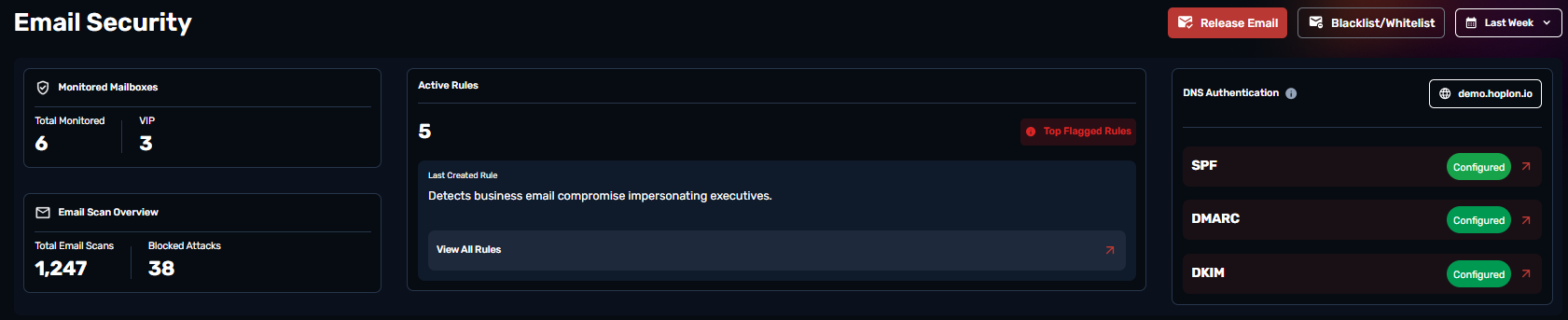
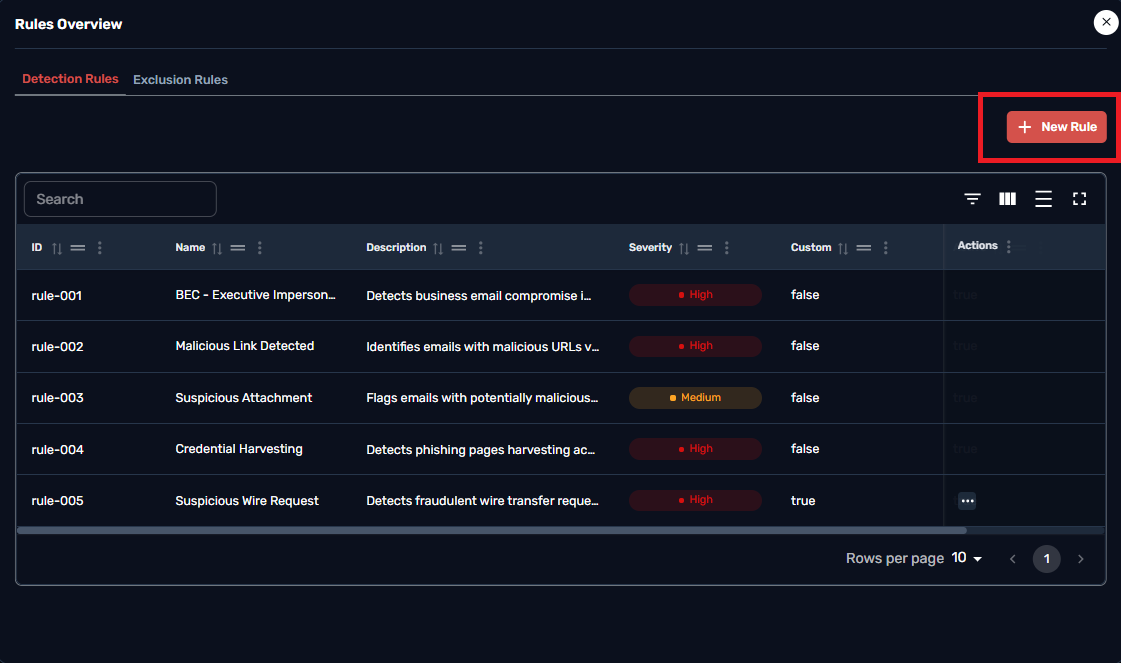
You will be directed to the Blacklist/Detection Rules page. Click the New Rule button to create a rule:
Creating a rule here will add it to the Detection table. If you wish to Whitelist you have to create the rule on the Exclusion table under rules overview.
A pop up table will be provided asking to Select the Target domain to block,the rule name and a small description for clarity. If needed you can just block an email address and not the whole domain.
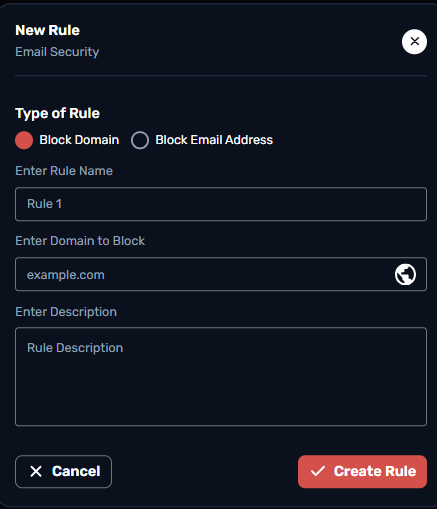
After filling in the severity form, you can then select Create to establish the detection rule for the relevant domain:
The detection rule is now successfully created:
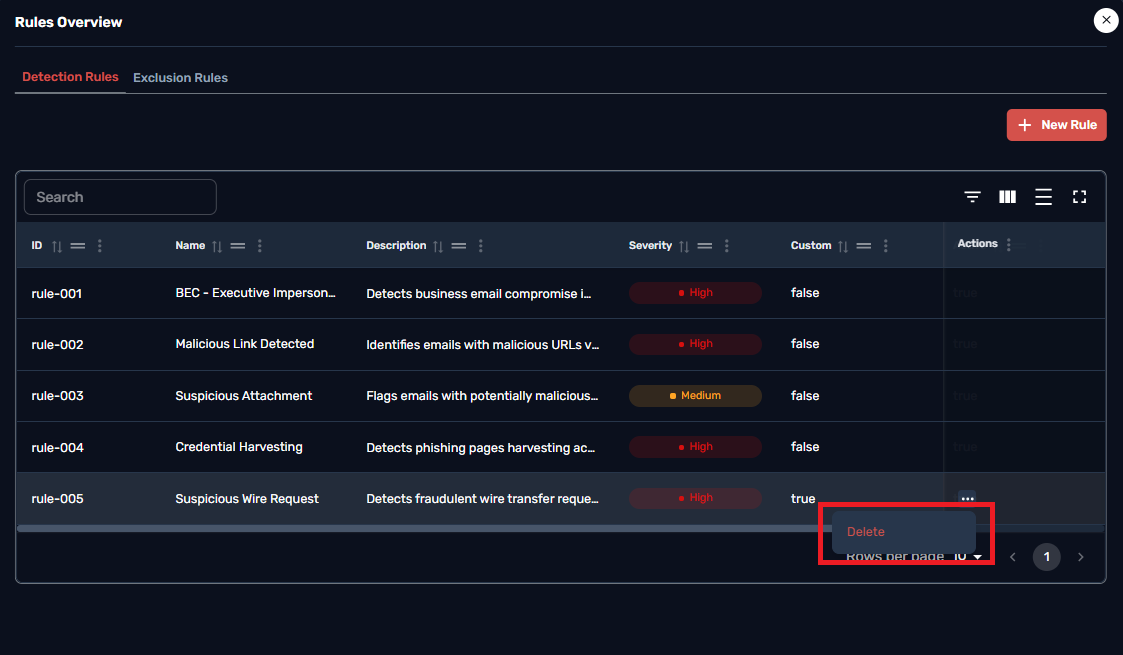
You can manage the same rule by copying the rule ID and then clicking on 'Delete Rule' if you no longer need it and wish to
The same procedure for the whitelisting rules would take place under the Exclusion Rules right below the “Rules Overview “ . Creating a rule on that tab would Allow a domain or an email address to bypass the defenses and completely be ignored.