The Cloud DLP (Data Loss Prevention) Module is a comprehensive framework designed to secure and manage data across cloud environments.
Cloud DLP Insights provide comprehensive visibility and analysis of file security for a specific period of time within cloud storage environments. These insights track key metrics such as the number of policy violations, users violating policies, volume of data protected, and total files scanned across different platforms.

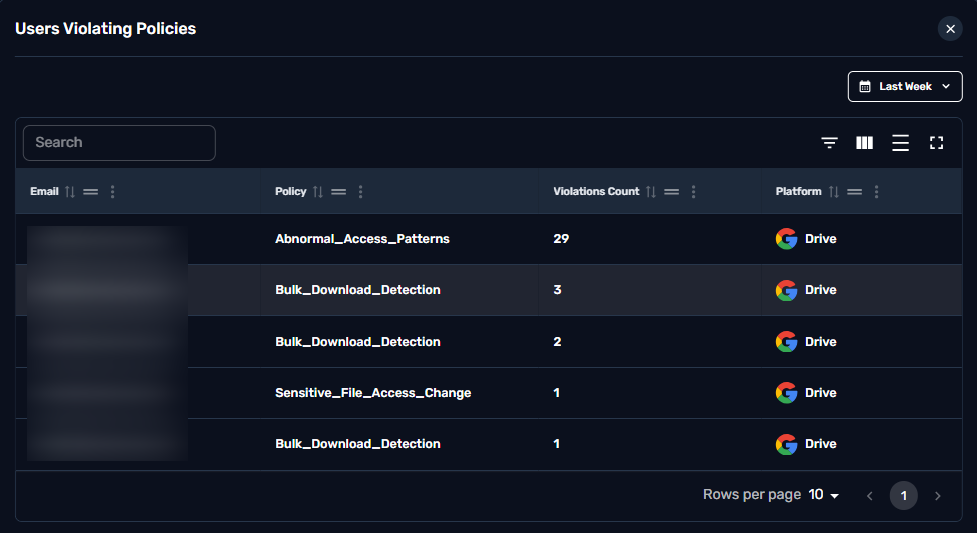
This metric indicates the number of users who have violated security policies within the specified timeframe.

Clicking on the card will trigger the drill-down providing detailed user report and policy violations.
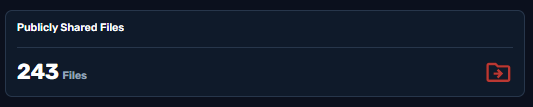
This metric tracks the volume of files that have been shared publicly within the cloud environment.
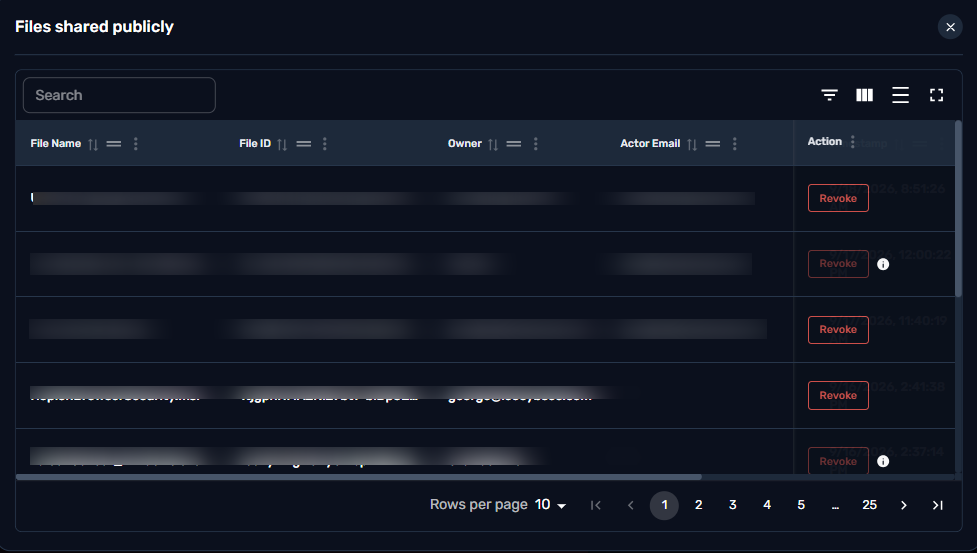
Clicking on the card will trigger the drill-down providing detailed information about the files and if needed the admin account can Revoke public access immediately.
This metric indicates the number of files that have been scanned on Microsoft accounts.

This metric indicates the number of files that have violated security policies within the specified timeframe.

Clicking on the card will trigger the drill-down providing detailed info on the policies that were violated.
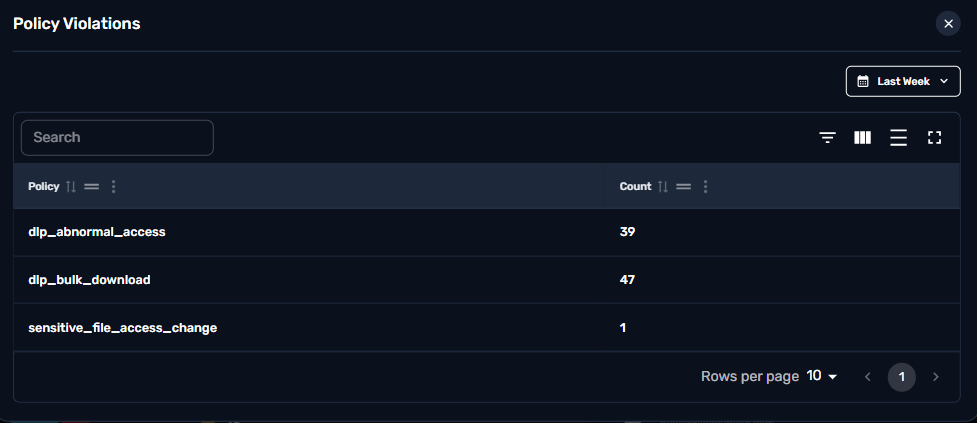
This metric indicates the volume of data (In MB) that are protected from security threats.

This metric indicates the number of files that have been scanned on Google accounts.

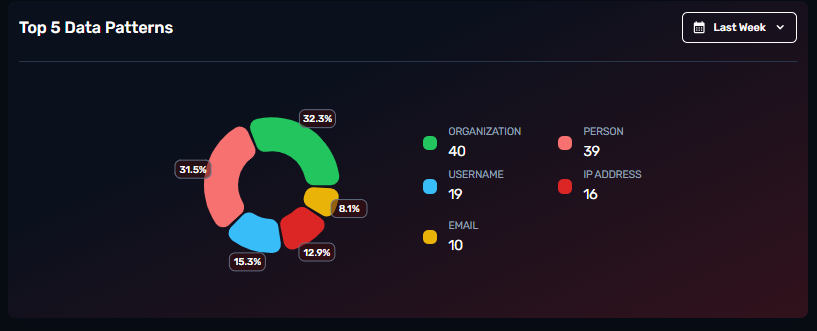
This chart aims to provide insights into the most frequently detected types of sensitive or significant data within the cloud environment.
This table lists the top users with the highest number of policy violations within the cloud file security system.
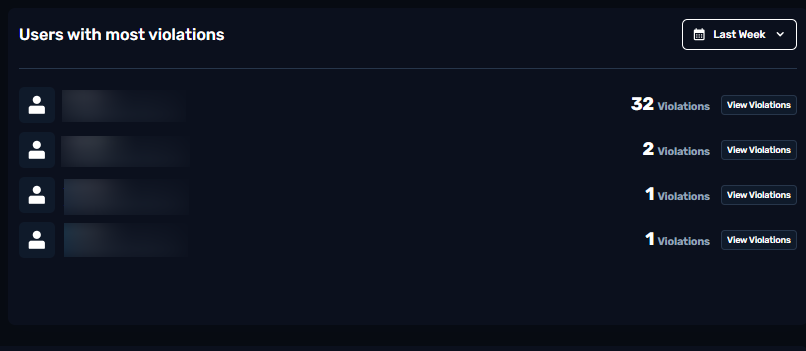
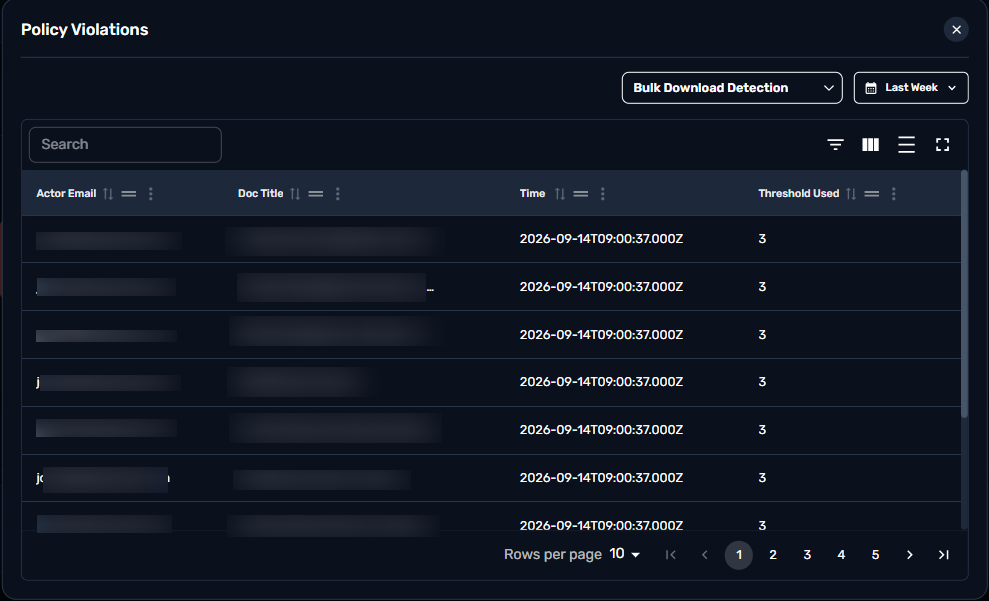
Clicking “View violations” will trigger a detailed view of the violations and which files they affected.
This section is utilized to protect sensitive information stored in the cloud from unauthorized access, breaches, and leaks. It provides insights into key metrics such as the number of Files Shared To Personal Emails, Sensitive File Shared Externally, Confidential Files Downloaded, and Total Connected Apps.

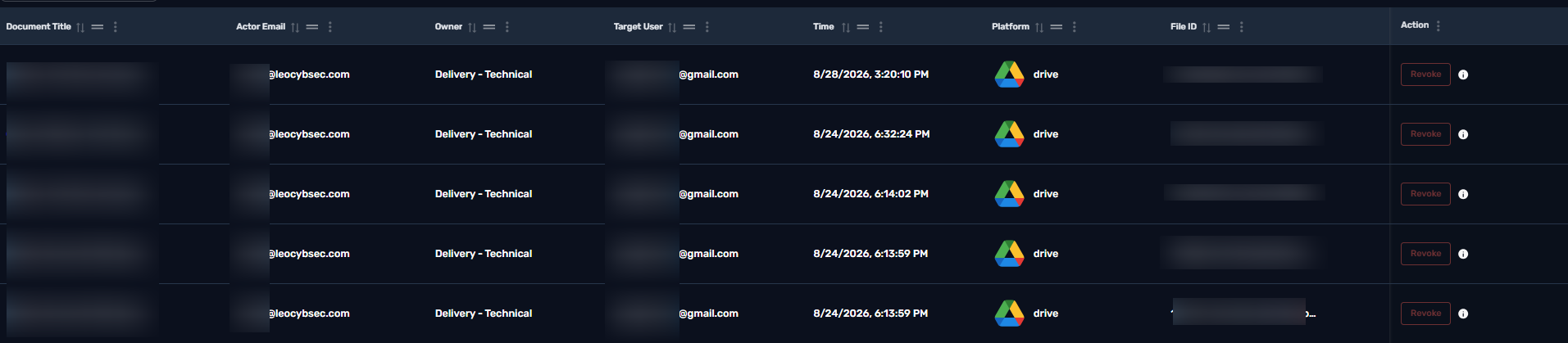
This metric not only tracks the number of files shared to personal email addresses but also provides a clickable interface to drill down into detailed information about each file and the associated personal email recipient. This enhancement allows for deeper investigation and actionable in.
This metric provides the number of sensitive files shared externally. It is clickable and offers a detailed list of sensitive files, allowing users to drill down into comprehensive information about each file.

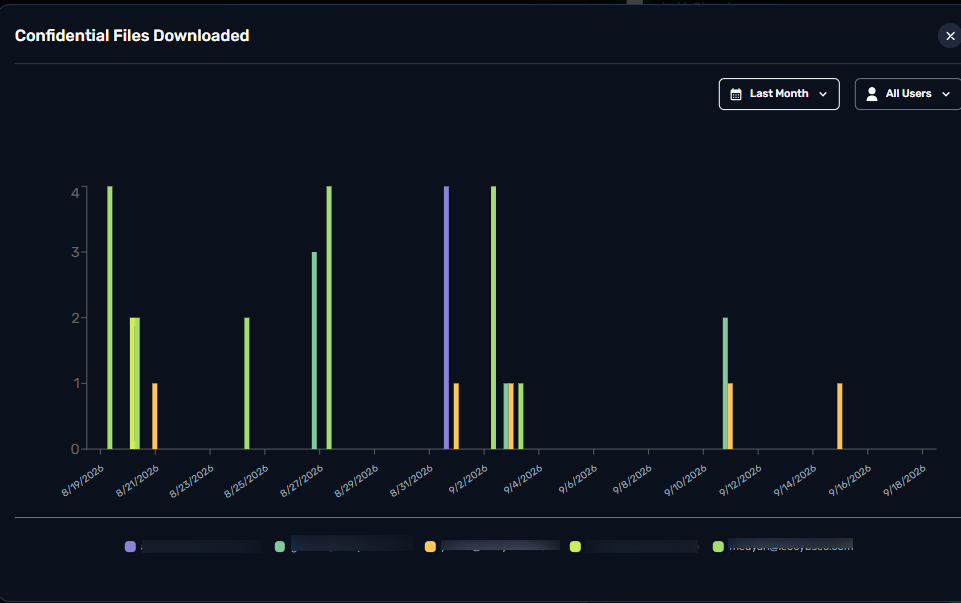
This metric tracks the total number of confidential files that have been downloaded from your organization's systems. It helps identify potential risks of data exposure, unauthorized access, or insider threats. The metric is clickable, allowing users to drill down into detailed information about each downloaded file, including who downloaded it, when, and from where.
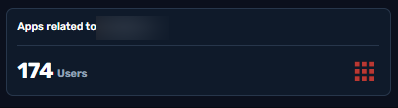
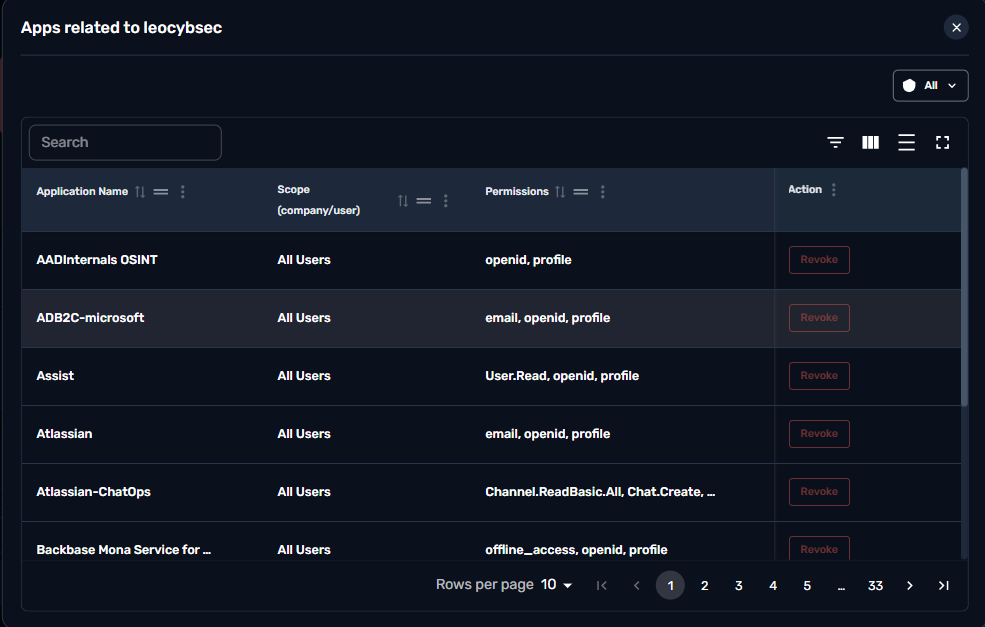
This metric tracks the total number of applications (both internal and third-party) that are connected to your organization's systems, cloud services, or data repositories. It provides visibility into the organization's app ecosystem, helping identify potential security risks, compliance issues, or shadow IT.
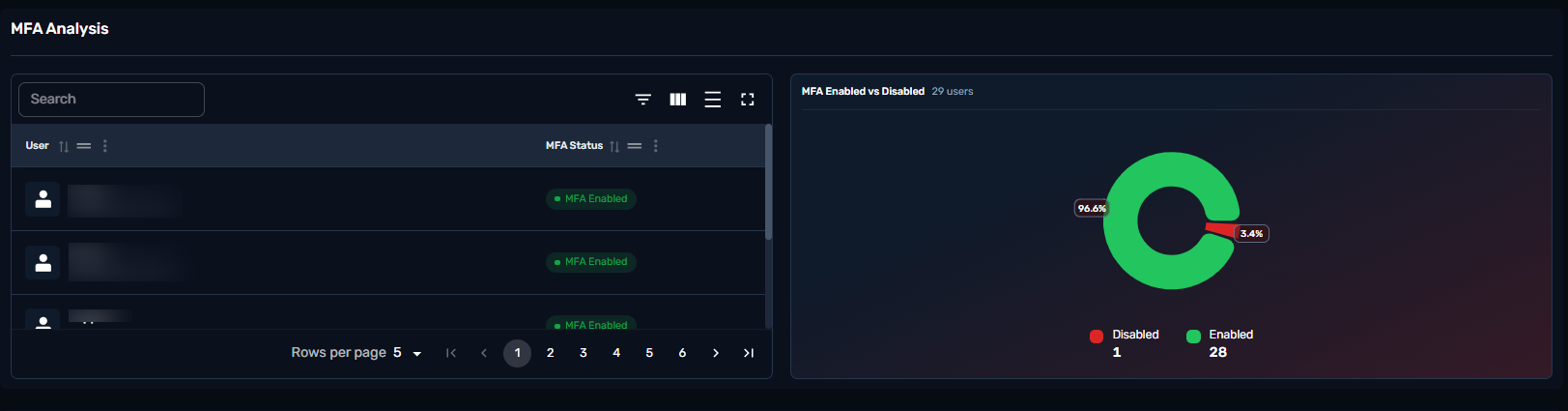
This table helps monitor the MFA status of the organization in a glance. The pie chart provides organization wide MFA status and the table drills-down to per user status.
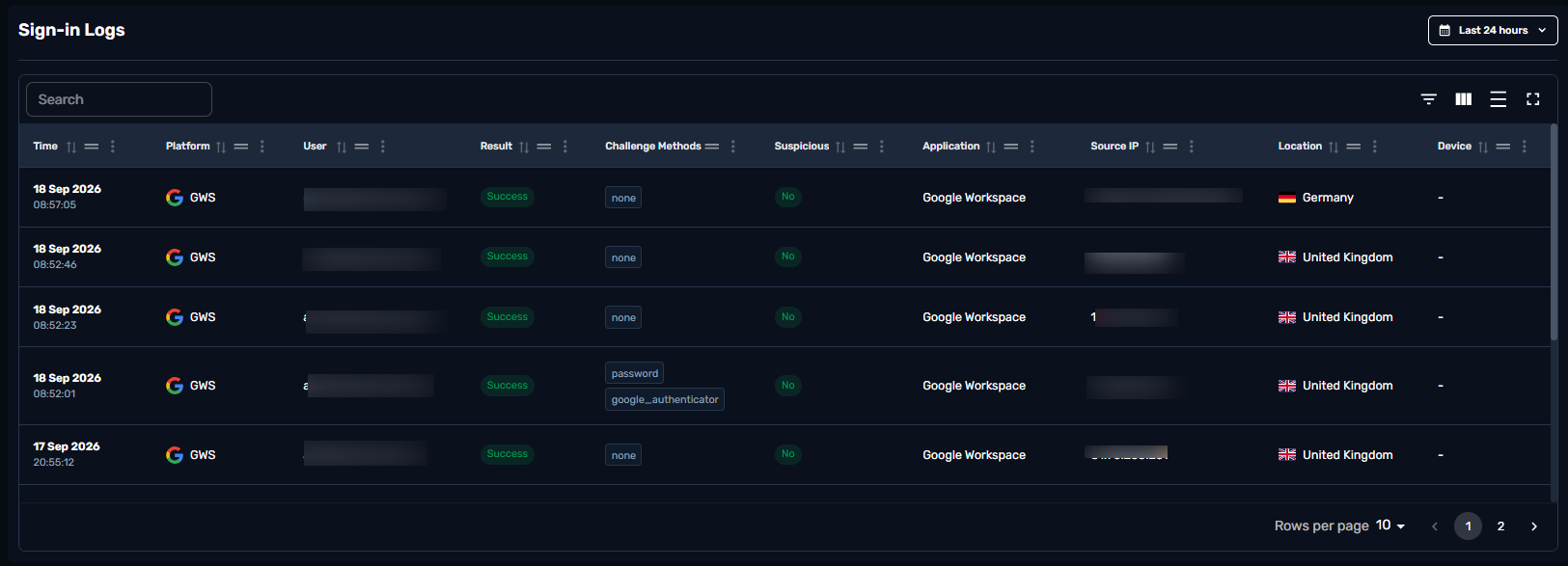
Sign-in logs track access attempts, displaying security status (success or failure) to help administrators detect and mitigate unauthorized threats. Location , Source IP , Timestamps and authentication methods are all available for auditing in this table.
This File Activities log tracks real-time document modifications, capturing user emails, IP locations, and platform events to ensure data governance and secure compliance auditing.
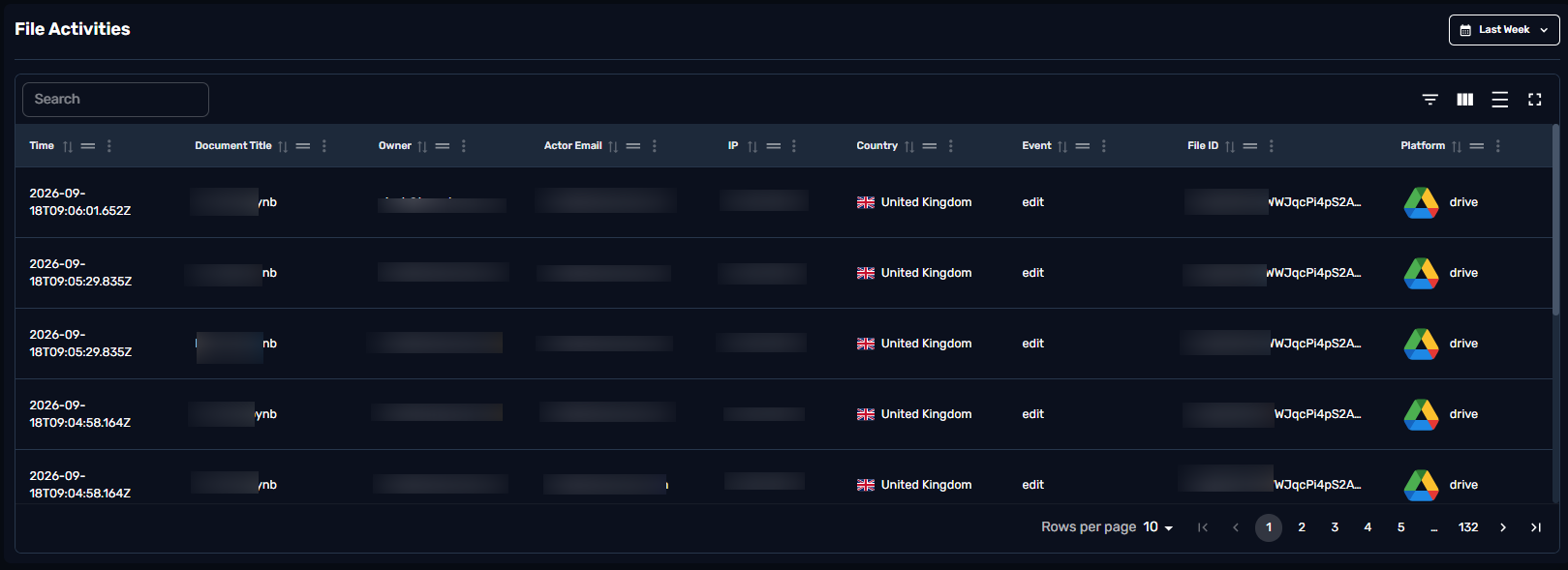
This table helps monitor the security status and activities related to specific files within the cloud environment, indicating when specific actions were initiated along with their respective timestamps.
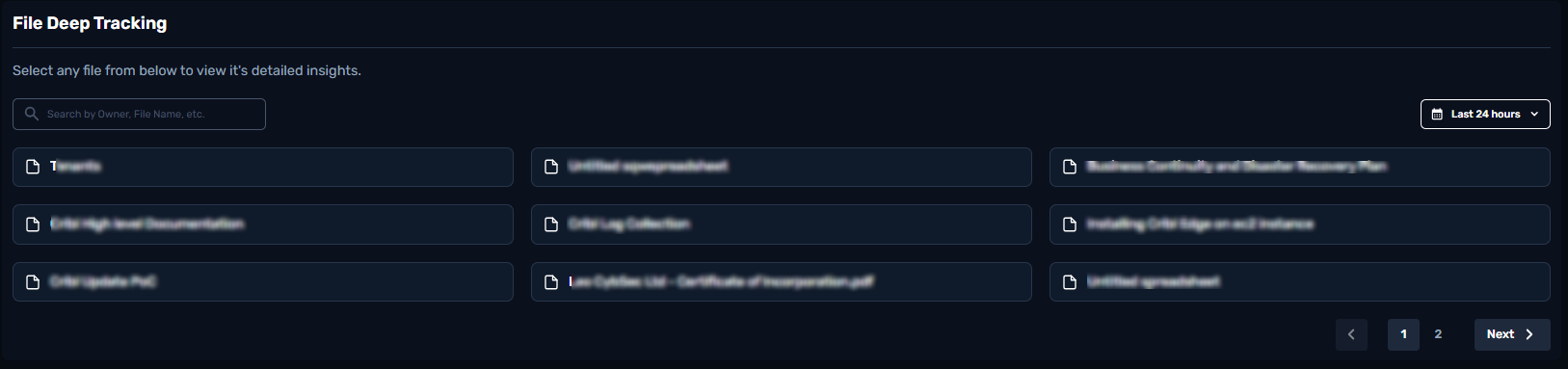
The files are clickable , providing more details . Events, email acting on the file , timetamps , locations through source IP .
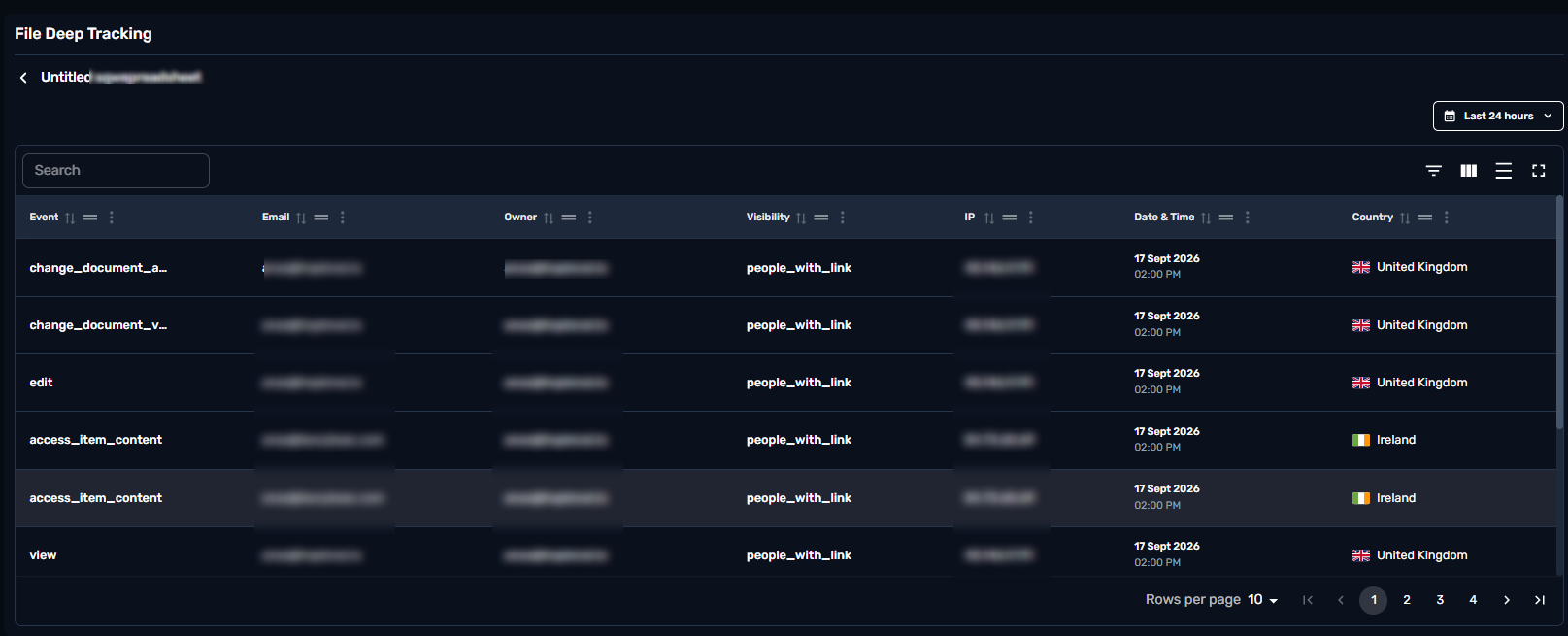
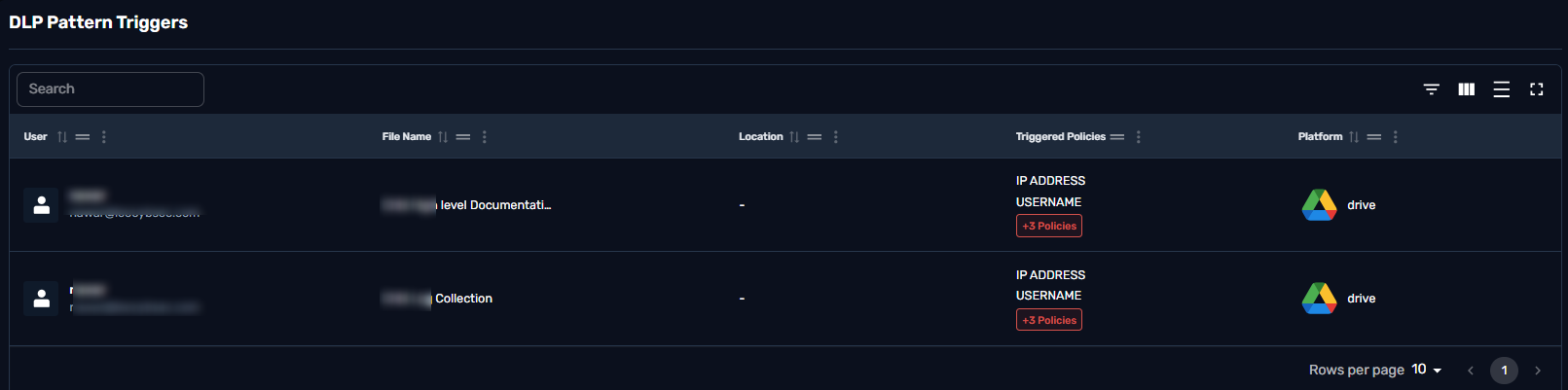
This table identifies and addresses files within the organization that have triggered Data Loss Prevention (DLP) patterns, indicating potential security risks.