Email Security Module provides advanced protection against email-based threats by proactively scanning and filtering incoming messages. It detects and blocks sophisticated phishing attempts, malware, and spam, ensuring secure communication. The module enforces strong security policies and provides a review of authentication protocols such as SPF, DKIM, DMARC, to safeguard sensitive information and limit security breaches due to poor email practices.
The email Security Insights section provides an overview of key metrics related to email security over a period of time. It displays the number of monitored mailboxes, the total active security rules, the number of emails scanned for threats, and the count of blocked email-based attacks. Admins can release any legitimate emails that were blocked by accident simply by entering the Message ID and clicking "Email Release”. This feature enables quick remediation of false positives, ensuring important communications are not disrupted while maintaining security standards.

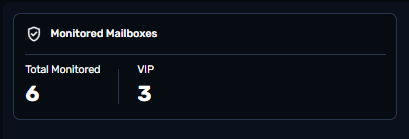
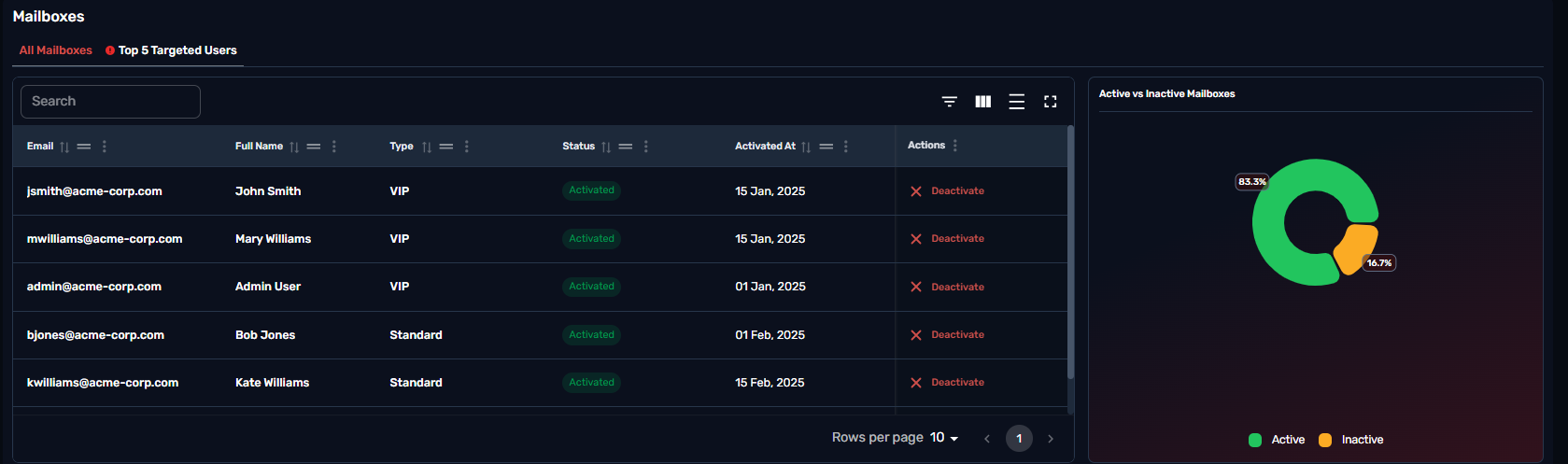
This chart lists the email accounts that are actively protected against security threats, including VIP accounts that are monitored for impersonation and targeted attacks.
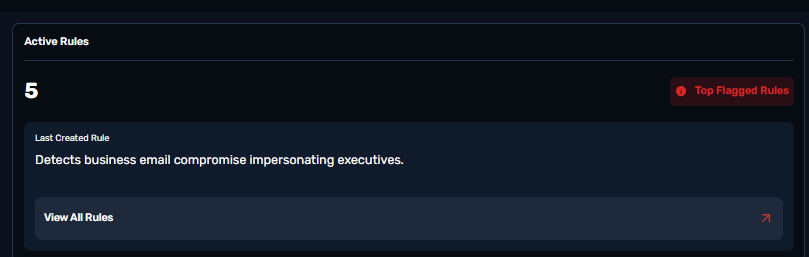
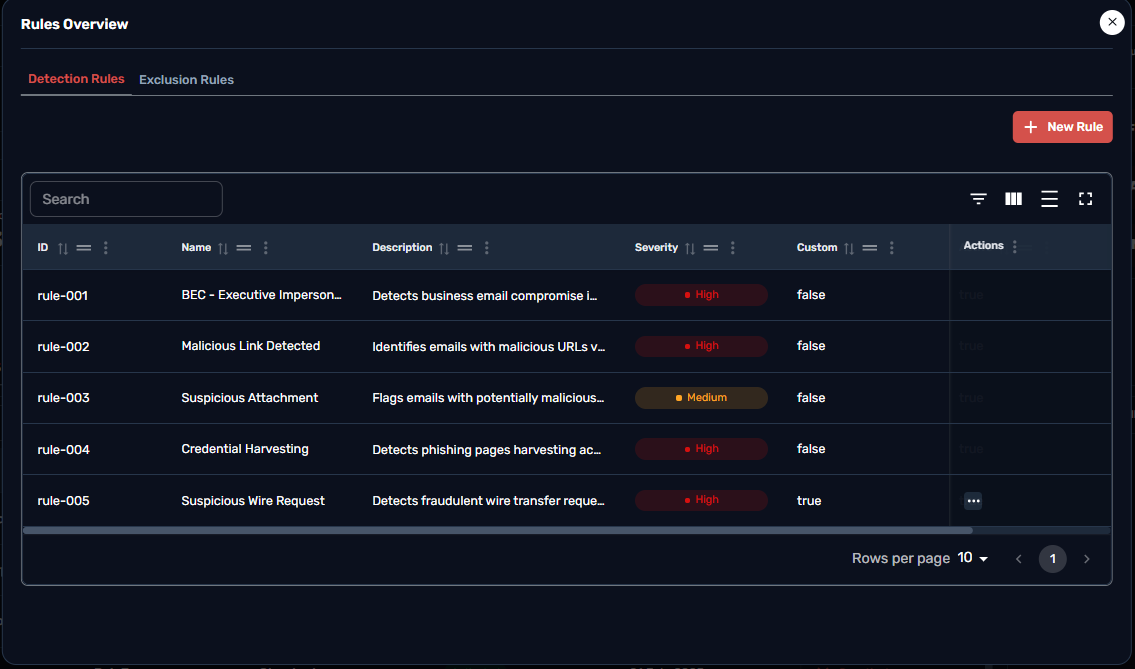
A security rule in email security is a set of criteria that guides how email systems handle messages to protect against threats like spam, phishing, Business email compromise (BEC), malware, and data leaks. These rules include conditions (e.g., keywords or sender reputation), actions (blocking or quarantining emails), and exceptions for trusted senders. Common types of security rules cover anti-spam, anti-phishing, attachment filtering, and data loss prevention (DLP). Security rules are crucial for reducing cyber risks by automatically detecting and managing threats, helping organizations stay secure and compliant with data protection regulations.
Clicking on the View Rules card will provide details for the active rules that exist within the organization for Detections / Exclusions .
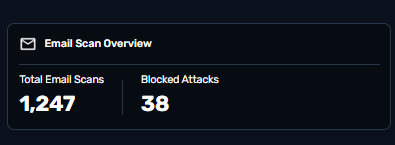
Total number of emails that have been scanned for potential threats within the specified time period and the Total number of email-based threats that have been successfully identified and prevented
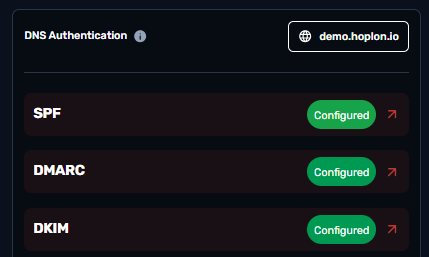
The DNS authentication status includes the verification of key email security protocols:
SPF (Sender Policy Framework),
DMARC (Domain-based Message Authentication, Reporting & Conformance), and
DKIM (DomainKeys Identified Mail). These protocols help ensure that email messages are authenticated, preventing phishing and spoofing attacks.
The current status of SPF, DMARC, and DKIM records is outlined below, highlighting whether they are properly configured and functioning as expected.
This table lists the email accounts, including VIPs that are actively protected from email security threats.
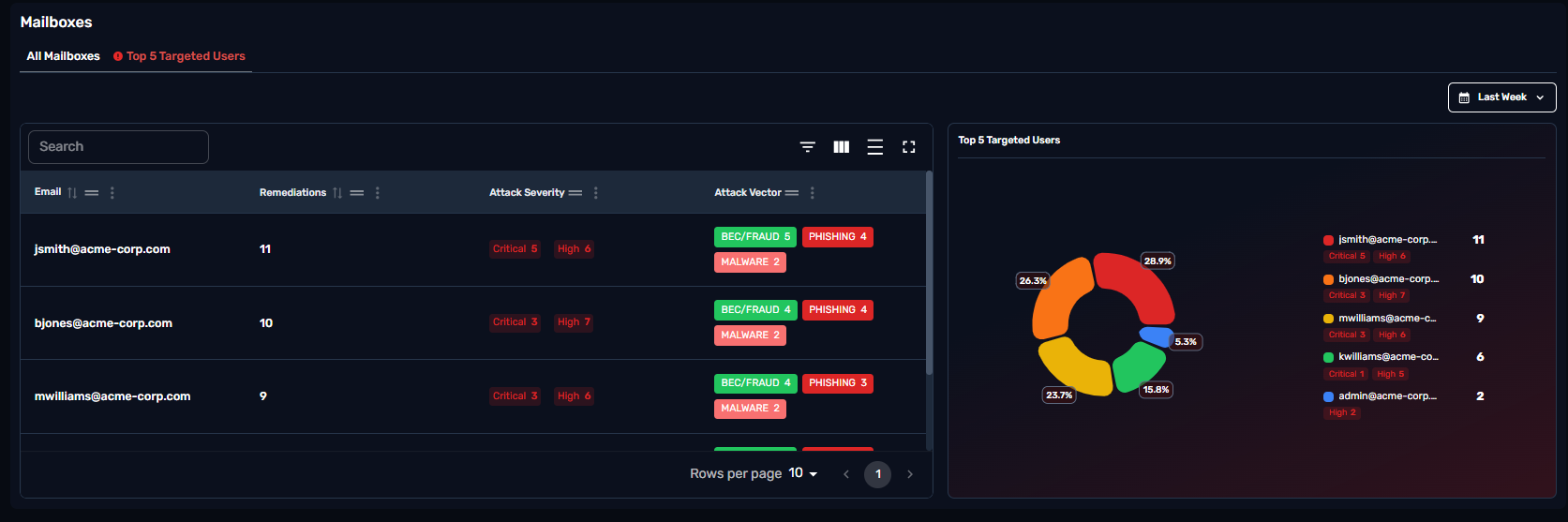
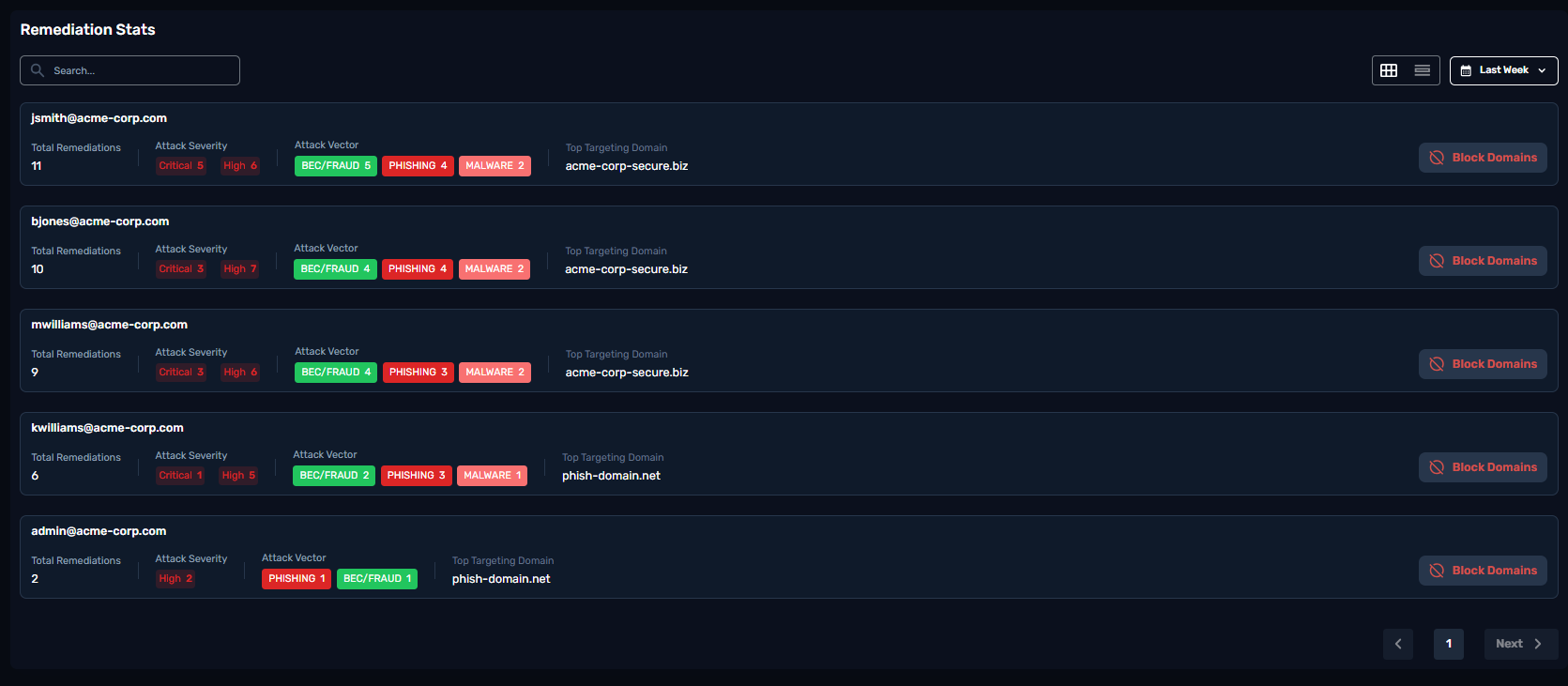
Clicking on the secondary tab titled “Top 5 targeted users” will provide you a detailed blocking frequency , types of emails that target the user and overall attack severity .
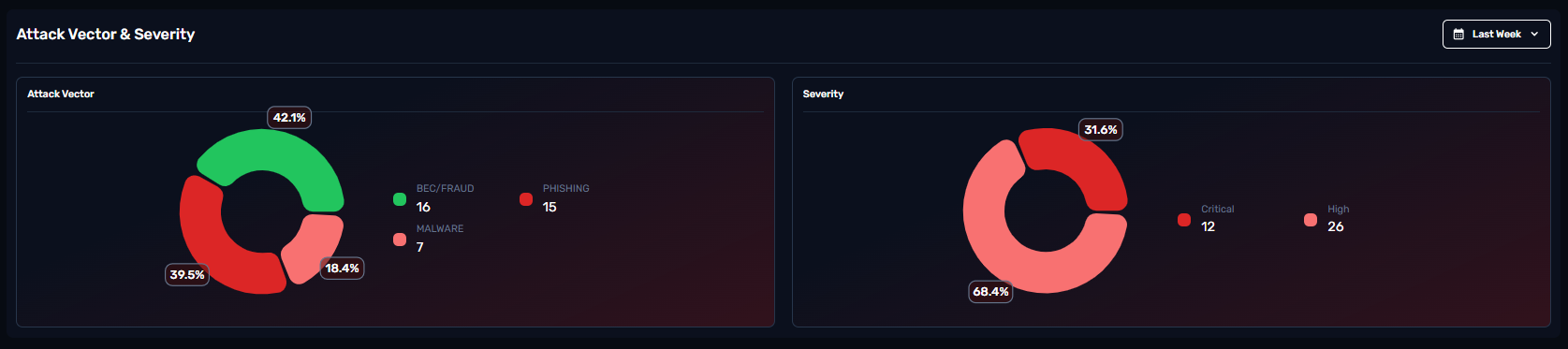
What is Attack Vector?
An attack vector in email security is a tactic or pathway used by cybercriminals to exploit email systems to gain unauthorized access, steal information, or disrupt operations. Email is one of the most targeted communication channels, making it critical for organizations to recognize and defend against common attack vectors. like:
Phishing: Phishing attacks involve emails that impersonate legitimate entities to deceive recipients into revealing sensitive information, such as passwords or personal details. Variants include:
Spear Phishing: Personalized attacks targeting specific individuals.
Whaling: Targeted attacks focused on high-level executives.
Malware Attachments: Attackers embed malware in email attachments, which, when opened, infects the recipient’s device. Malware types often delivered via email include:
Ransomware: Encrypts user data and demands payment for decryption.
Spyware: Monitors user activity and steals information.
Trojans: Provides unauthorized access to the attacker.
Malicious Links: These emails contain links that redirect users to compromised websites where they may unknowingly download malware or enter login credentials on fake pages, which attackers then steal.
Business Email Compromise (BEC): Those attacks impersonate high-ranking executives or trusted contacts, tricking recipients into making unauthorized transfers, sharing confidential data, or executing fraudulent transactions.
Social Engineering: Attackers use psychological manipulation to persuade recipients into bypassing security protocols, leading to credential theft, unauthorized access, or financial loss.
Attack Severity ranks those attack types. Critical and High attacks need to be addressed further to avoid any future attacks of the same type.
The chart displays the distribution of attack severity, classified as High, Medium, and Low. By hovering over each segment, you can see the exact number of incidents for that severity level.
Green (Low Severity)
Yellow (Medium Severity)
Red (High Severity)
This table outlines the remediation actions taken, categorized into two columns: Manual Remediation, which includes actions performed by administrators or security teams, and Automated Remediation, which consists of system-driven responses triggered by security policies or predefined rules. This classification helps assess the efficiency and response time of security measures.
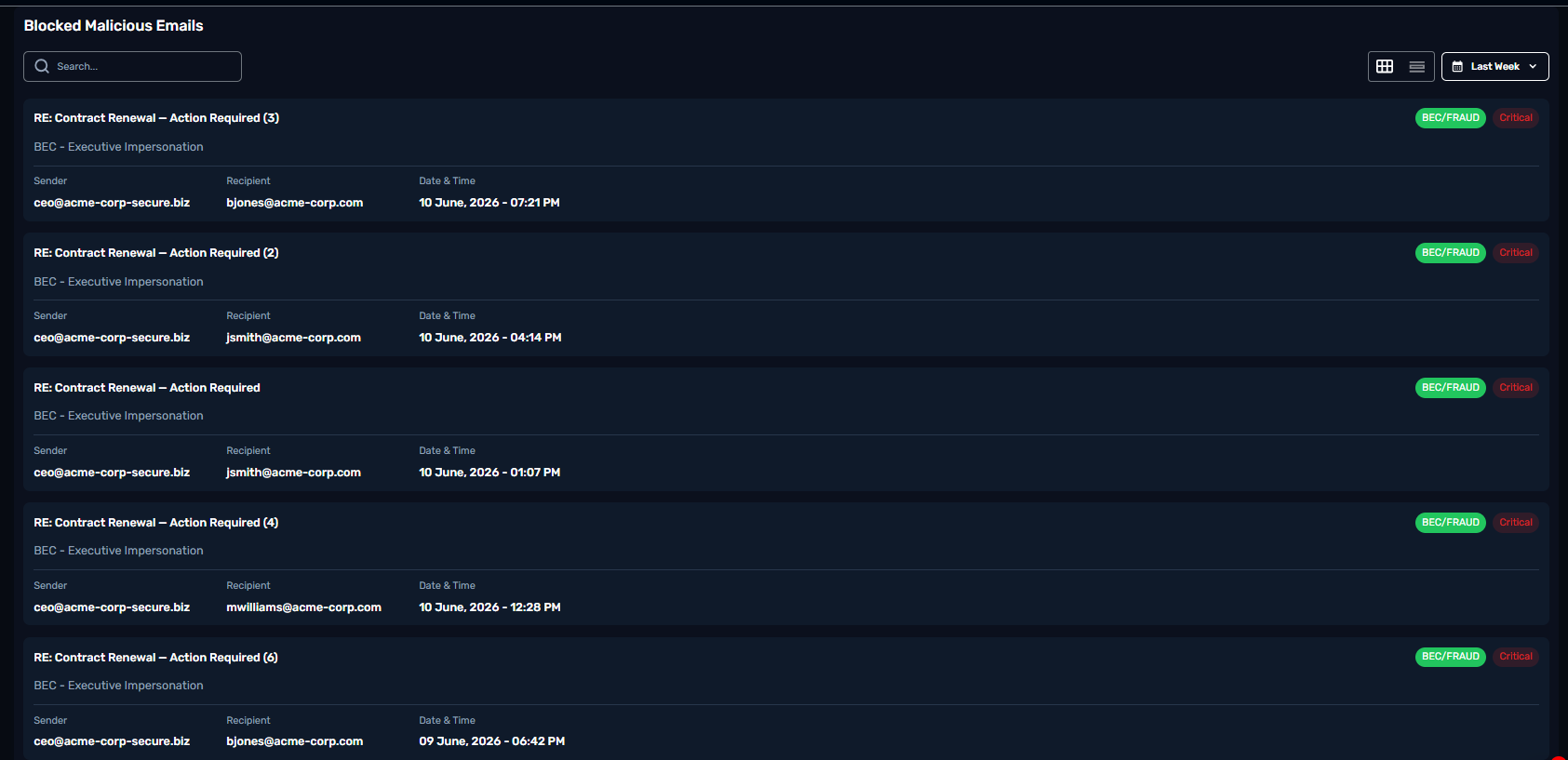
This table highlights the emails that have been identified as potentially harmful and automatically blocked from reaching the recipient's inbox.
Each entry in the table includes the sender's email and name, the email subject, the status indicating the action taken ( either automatic or manual action), the recipient's email address, and a unique message ID for tracking.
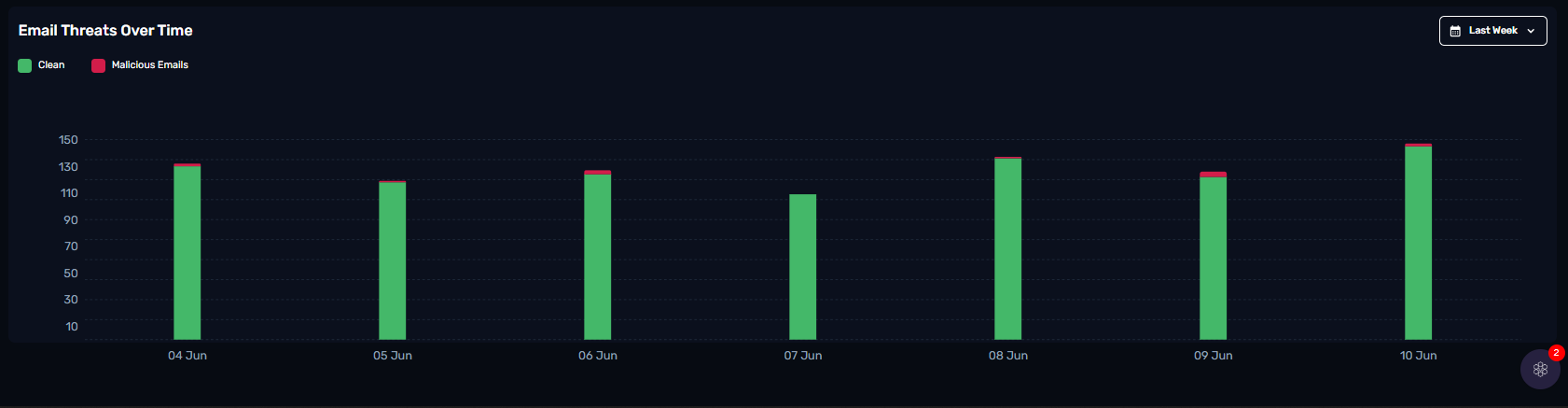
The column chart illustrates the frequency and severity of email threats over a period of time, using color-coded segments to differentiate between clean and malicious emails. Green bars represent the number of clean emails, while red bars indicate the volume of emails identified as malicious.